Play in your browser today
Big fights.
Your screen.
The timeline’s a fighting game. Step into Influencer Wars on your computer or phone.
Free to play. No wallet required.
An internet connection is needed for browser play.
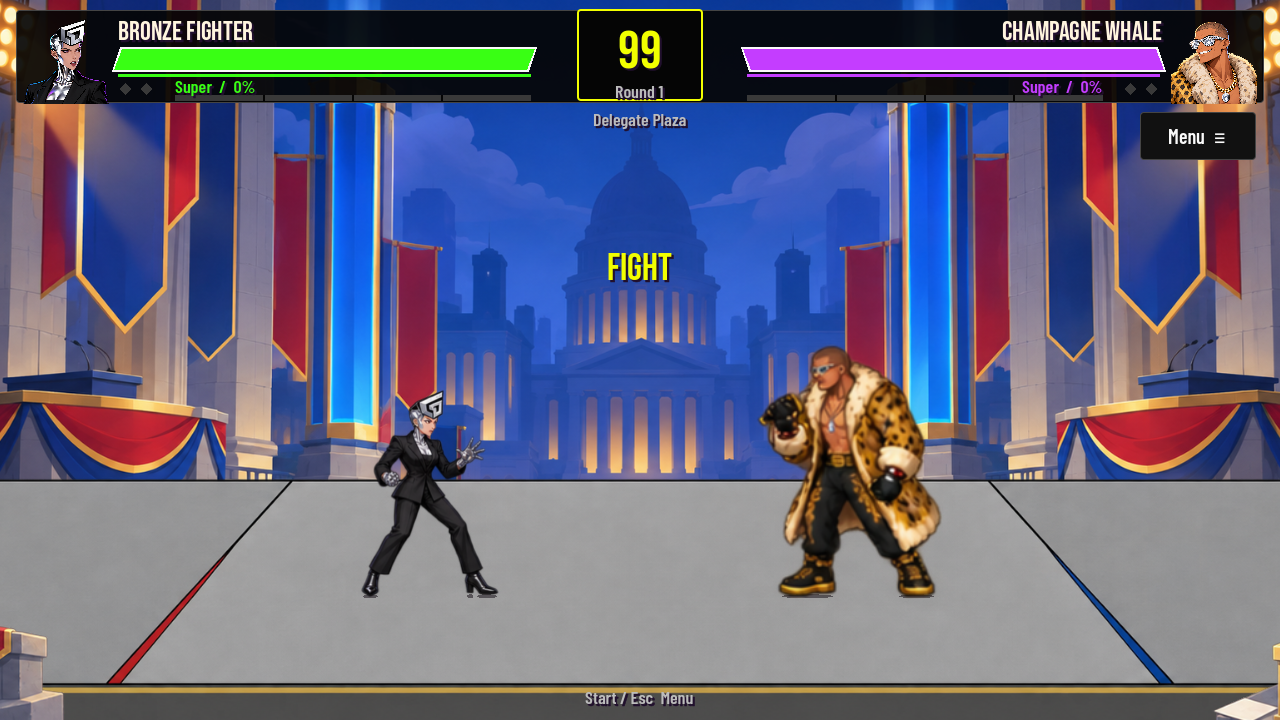
Desktop Windows native capture
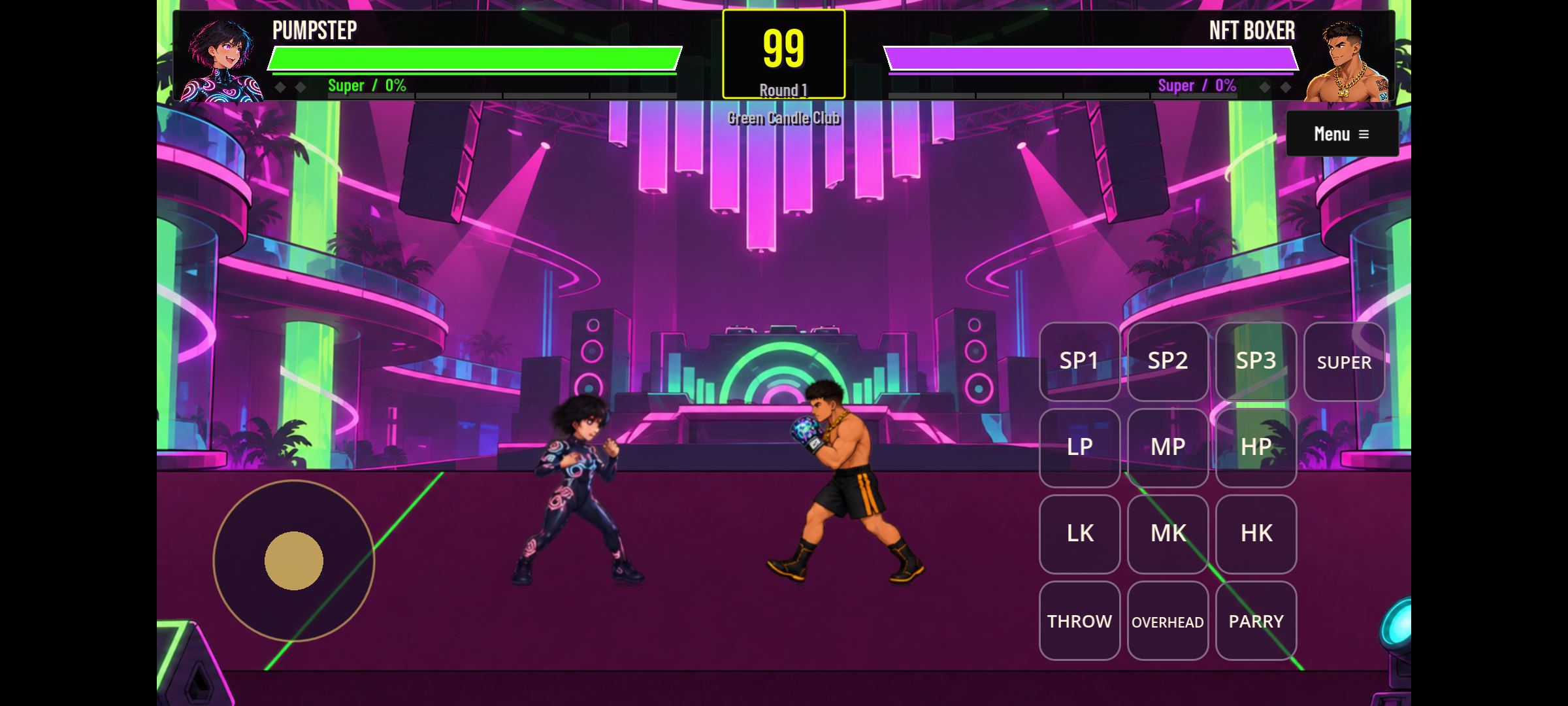
Android Native app · emulator capture
iOS preview Layout concept · Windows capture
Where to play.
The browser edition is open now. Native Windows and Android builds are being tested privately.
- Windows
- Browser nowNative app in private testing
- Android
- Browser nowNative app in private testing
- iPhone & iPad
- Browser nowiOS app not released
- Mac & Linux
- Browser editionNo native download offered
Public native installers and store listings aren’t available yet. Follow release updates (opens in a new tab).
Your hands.
Your hardware.
Pick a gamepad, a compatible arcade stick, or your keyboard. On a phone, use the touch controls.
Arcade stick
Six-button fighting, with a compatible gamepad or keyboard mapping.
Gamepad
D-pad or left stick to move. Face and shoulder buttons for your attacks.
Controller inputs are supported in the game. Compatibility depends on your device and connection; exact hardware and physical-phone play are still being tested.
Pick your fight.
One quick round or a whole character’s story. Everything starts in the browser.
Keep the shortcut.
Add the browser game to your Home Screen for the next round. Turn your phone to landscape for more room.
An icon doesn’t make the game available offline. Keep an internet connection when opening and playing.
iPhone & iPad
- Open the game in Safari.
- Open Safari’s Share menu and choose Add to Home Screen.
- If offered, turn on Open as Web App, then tap Add.
Android
- Open the game in Chrome.
- Open the three-dot menu, then choose Install and create shortcut and Create shortcut. Some versions call it Add to Home screen.
- Confirm the name and tap Add. If Chrome offers an install option instead, follow its prompt.
Menu wording varies by browser. You can always keep playing in a browser tab. Performance and controller compatibility vary by device.